
Field visits
No planned visit is needed for a configuration change, a transmission-frequency adjustment or a bug fix; the crew spends its time on real faults.
REMOTE DEVICE MANAGEMENT
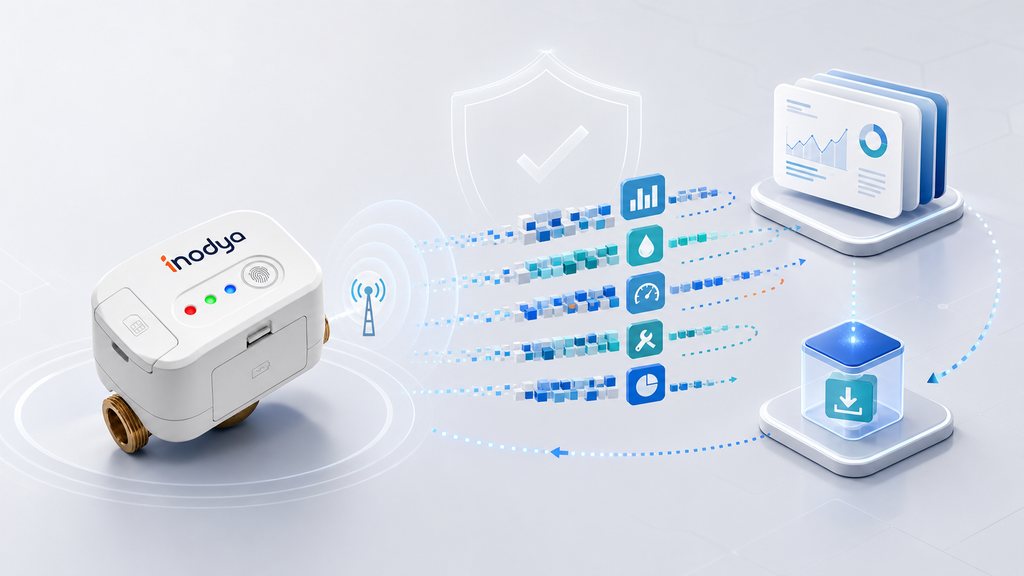
Remote update is not a checkbox; it is an operating capability. This page explains how a rollout is staged, what happens on interruption and how the result is tracked.
WHY IT MATTERS
Visiting one meter is cheap. Visiting ten thousand is a budget line. This is exactly where remote management earns its value.
No planned visit is needed for a configuration change, a transmission-frequency adjustment or a bug fix; the crew spends its time on real faults.
If devices installed in different years stay on different firmware versions, behavioural differences make the data non-comparable.
For a long-lived IoT device, the ability to close a security vulnerability is a direct part of the procurement assessment.
REMOTE DEVICE MANAGEMENT
The panel below animates a representative rollout. Click any step to jump to that stage.
The firmware package is built, release notes are written and target hardware and configuration eligibility is defined.
The rollout runs first on a small, representative group of devices, chosen to include both easy and difficult coverage points.
The device checks that the package it downloaded is intact and applicable to itself; if it is not, the update is not applied.
If the pilot result is accepted, the rollout grows in waves. A failure-rate threshold is monitored in every wave.
If connectivity or power is lost, the device does not apply the update and stays operational; the rollout is retried.
Version spread, success rate and the list of devices needing a field visit are followed from a single screen.
The figures on this panel are illustrative and are not a performance commitment. Technical detail and verification records for the rollout are shared in the technical file.
CONFIGURATION
How a meter behaves is largely a matter of configuration. Being able to change these settings remotely allows fast learning during a pilot.
TECHNICAL SPECIFICATION
“We have remote update” is not a sufficient answer. The topics below are what separate offers in evaluation.
How does the device know the package it downloaded is intact and applicable to itself? What does it do if it is not?
What is the signing method, how are keys managed, and is there anti-rollback protection? Can these be documented in writing?
Is there a dual-bank layout or a safe rollback mechanism? Does the device keep measuring?
Can a pilot group, wave size and an automatic stop at a failure threshold be defined?
From which screen and in what format can version spread, success rate and the list of devices needing a field visit be obtained?
Does the contract state until what date security updates will be provided, and what the vulnerability disclosure channel is?
These questions apply to Orion NB-IoT as well. The controls verified today are listed on the Security and Standards page; the remaining topics are added to the technical file in writing as they are completed.
NEXT STEP
Let us validate the coverage, data, battery and integration assumptions together in a limited pilot. We write the success criteria before the pilot begins.